Plywood
Free Plywood Cut Calculator and Cut Optimizer
This plywood cut calculator turns a list of parts into a cutting diagram for your sheets. Enter the parts you need and the plywood you can buy, press Calculate, and see how many sheets you need, where every cut goes and how much plywood is left over. It runs in your browser, and your first 5 calculations need no account. The example above is a small bookshelf cut from 4 × 8 ft sheets: replace it with your own sizes.
Try it above ↑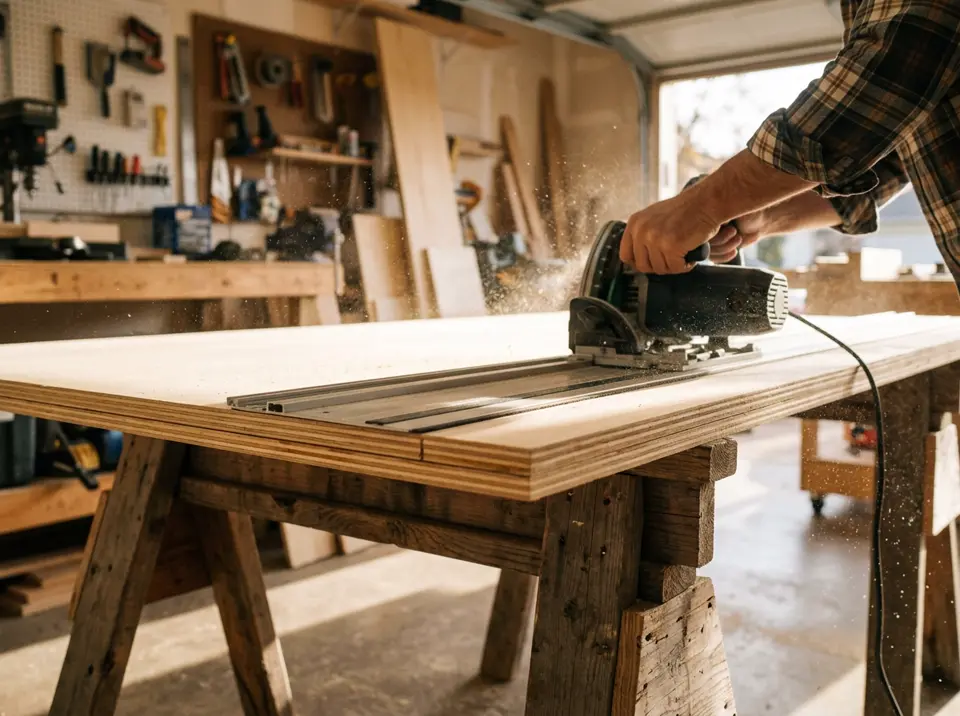
How to calculate your plywood cuts
- Enter your parts. Type the length, width and quantity of each part in the Panels table. A label such as “side” or “shelf” helps you find parts on the diagram.
- Enter the plywood you have. Put the sheet size in Stock sheets, for example 96 × 48 in (2440 × 1220 mm). Add a second size if your supplier also sells half sheets or 4 × 10 ft sheets.
- Set the kerf and grain. A table saw blade removes about 1/8 in (3 mm). Turn on grain direction for veneered plywood so visible faces keep the grain running the right way.
- Calculate and cut. The optimizer shows each sheet to scale and numbers the cuts in the order you make them. Print the diagram or save it as a PDF to take to the shop.

Made for cutting plywood
Fewer sheets
The optimizer tries many arrangements and keeps the one that needs the fewest sheets and leaves the largest usable offcut, which saves real money on plywood.
Kerf aware
Every cut is spaced for the blade thickness, so the parts you cut match the sizes you typed.
Grain direction
Lock a part and it is never rotated. Use it for face veneer on cabinet sides, doors and visible shelves.
Easy-to-cut mode
Choose “Easiest to cut” to get full-length rips and parts of equal length lined up, so a panel saw or a track saw follows a short, simple sequence.
Edge banding
Mark the edges that get banding and see the total length and cost, so you buy the right amount of tape.
Export
Save the cut list as CSV, export a PNG of a sheet or print the whole plan.
Standard plywood sheet sizes
Sizes depend on where you buy. Check the real size with your supplier, because the nominal thickness is often a little different from the actual one (a nominal 3/4 in sheet is commonly 23/32 in thick).
| Sheet | Millimeters | Inches |
|---|---|---|
| Full sheet (North America) | 1220 × 2440 | 48 × 96 |
| Long sheet | 1220 × 3050 | 48 × 120 |
| Half sheet | 1220 × 1220 | 48 × 48 |
| Baltic birch sheet | 1525 × 1525 | 60 × 60 |
| Metric full sheet (Europe and elsewhere) | 1250 × 2500 | 49.2 × 98.4 |
Tips for cutting plywood with less waste
- Make the biggest cuts first. Rip the sheet into strips or large pieces before trimming small parts. They are easier to support and handle.
- Support the sheet. Cut on a flat surface, with the offcut supported, so the piece does not pinch the blade or drop at the end of the cut.
- Reduce tear-out. Use a fine-tooth blade and cut with the good face up on a table saw, or face down with a circular saw or track saw.
- Add a small safety margin. Sheets are rarely exactly their nominal size. If a layout is very tight, enter sheets a few millimeters smaller than the label.
- Keep matching parts together. If doors, drawer fronts or cabinet sides must look alike, cut them from the same sheet and lock the grain direction.
Frequently asked questions
How many sheets of plywood do I need?
Enter all your parts and one sheet size, then press Calculate. The Global statistics panel shows how many sheets the layout uses and how much material is wasted. As a rough rule, add a little extra for mistakes.
What is the best way to cut a 4x8 sheet of plywood?
Rip it into strips the width of your parts first, then crosscut the strips to length. The “Easiest to cut” option plans exactly this way, so every cut goes across the whole piece.
What kerf should I use for plywood?
A standard table saw blade has a kerf of about 1/8 in (3 mm), and a thin-kerf blade about 3/32 in (2.4 mm). A circular saw or track saw is usually in the same range. Check your blade and enter that value.
Does grain direction matter for plywood?
For painted or hidden parts it does not. For veneered plywood, visible parts should keep the grain running in the direction you want, so turn on grain direction and lock those parts.
How many 4x8 sheets does a bookshelf need? A worked example.
The example on this page has 9 parts: two 72 × 11.25 in sides, five 30.5 × 11.25 in shelves and two 30.5 × 3 in stretchers. Together they cover 3,519 sq in, and one 4 × 8 ft sheet is 4,608 sq in, so a quick area check says one sheet might be enough. The optimizer confirms it: all 9 parts fit on a single sheet with a 1/8 in kerf, using about 76% of the plywood and leaving about 24% as offcut.
Can I work out the number of sheets by area alone?
Only as a first estimate. Add up length × width × quantity for every part and divide by the sheet area (4,608 sq in for a 4 × 8 ft sheet). Then round up and add a margin, because long parts, grain direction and the saw kerf stop the pieces from filling a sheet completely. A cut calculator checks the real layout, so the sheet count is not a guess.
What is the real thickness of 3/4 in plywood?
In North America a sheet sold as 3/4 in plywood is usually 23/32 in (about 18 mm) thick, and 1/2 in plywood is often 15/32 in. Thickness does not change the cutting diagram, but it matters for dados, joints and the final size of your project, so measure the sheet before you cut.
Can I use millimeters or inches?
Yes. Use any unit you like, as long as the parts and sheets use the same unit. Decimals such as 11.25 work.
Is the plywood cut calculator free?
Yes. You can calculate without an account, and a free account gives you more calculations each day. Pro and Lifetime plans remove the daily limit.
More cutting calculators
The same optimizer, with an example and advice for each material.
 Any sheet material
Cut list optimizer
The full tool for any sheet material: panels, stock sheets, kerf, grain, materials and edge banding.
Open calculator →
 MDF · Melamine · Chipboard
MDF & melamine cut calculator
Cut MDF, melamine and chipboard boards for cabinets and wardrobes, with edge banding totals.
Open calculator →
 Glass · Mirror · Acrylic
Glass cutting optimizer
Lay out window panes, mirrors and tabletops on glass sheets with straight score lines and less waste.
Open calculator →